Why teams leave HubSpot CMS
HubSpot is a strong CRM, but its CMS can feel rigid for a marketing site. Themes, templates and modules make new layouts slow to build, and small design changes often need a developer.
New page layouts usually mean editing HubL templates or custom modules, so campaign pages wait in a queue and drag-and-drop areas only go so far.
I’ll rebuild the site in Webflow with a flexible component library, then connect it to your HubSpot portal so forms, tracking, chat and lead data keep flowing as before.
What comes across from HubSpot
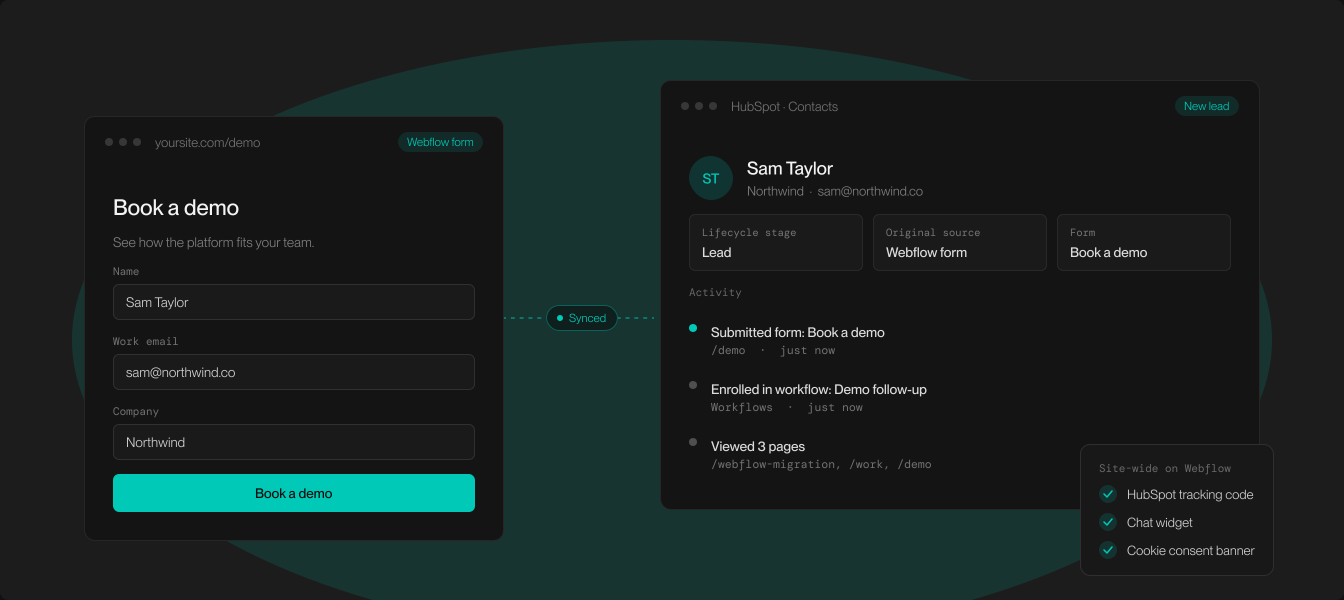
Your pages, blog and lead flow moved to Webflow, with HubSpot still running your CRM.
HubSpot blog posts
Posts, authors, tags and featured images moved into Webflow CMS collections, with URLs and meta descriptions kept.
Forms and lead capture
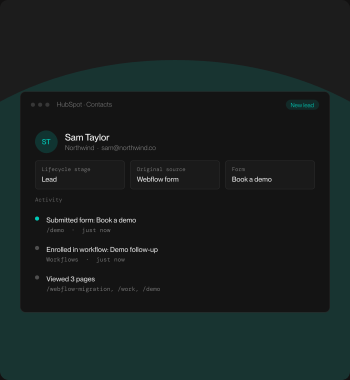
HubSpot forms embedded or connected to native Webflow forms, so submissions, lifecycle stages and workflows carry on.
Tracking and chat
The HubSpot tracking code, chat widget and cookie banner installed site-wide, so page views and contact activity keep recording.
Landing pages and modules
HubSpot landing pages and custom modules rebuilt as reusable Webflow sections your team can mix and match.
How it works
Audit your HubSpot site
I’ll export your pages and blog, list every form, CTA and workflow they feed, and agree what moves to Webflow and what stays in HubSpot.
Rebuild and connect in Webflow
I’ll build the agreed designs, import your blog into Webflow CMS and connect forms and tracking to your HubSpot portal.
Redirect, test and launch
I’ll map redirects from every old URL, test each form submission in HubSpot and switch your domain over on launch day.
Is this the right fit?
This is for teams who rely on HubSpot’s CRM and marketing tools but want a website that’s quicker to design, build and update.
- Keep HubSpot CRM, email and workflows as they are.
- Stop working around rigid themes and modules.
- Keep your blog, rankings and lead flow.
- Launch campaign pages without editing HubL.
- Give marketing full control of page layouts.
If you use HubSpot smart content, memberships or customer portal pages, we’ll talk through what Webflow can replace and what’s best kept in HubSpot.
FAQs
How do you migrate a HubSpot CMS website to Webflow?
A HubSpot to Webflow migration starts with an audit of your pages, blog, forms and the workflows they trigger. I then build the site in Webflow, import blog posts into Webflow CMS, connect forms and tracking to your HubSpot portal and set up 301 redirects. HubSpot stays as your CRM; only the website moves.
Can I keep using HubSpot CRM with a Webflow website?
Yes. Webflow works well as the front end for HubSpot. Forms can be HubSpot embeds or native Webflow forms synced through HubSpot’s Webflow app, the tracking code records page views and contact activity, and your workflows, lists and marketing email carry on as before.
Will my HubSpot forms still work after moving to Webflow?
Yes. Each form is either embedded directly from HubSpot or rebuilt as a Webflow form that sends submissions to HubSpot. Hidden fields, lifecycle stages and follow-up workflows are kept, and I test every form end to end in your HubSpot portal before launch.
Can you migrate HubSpot blog posts to Webflow?
Yes. HubSpot blog posts are exported with their authors, tags, featured images and meta descriptions, then imported into Webflow CMS collections. Each post keeps its slug where possible, and any URL that changes gets a 301 redirect so search engines follow the move.
Will moving from HubSpot to Webflow affect my SEO?
Handled properly, it shouldn’t. I carry over page titles, meta descriptions, headings and content, keep URLs where Webflow allows and add 301 redirects for every URL that changes. After launch I submit a new sitemap in Google Search Console and monitor for crawl errors.
What happens to HubSpot landing pages and CTAs?
Landing pages are rebuilt in Webflow from reusable sections, so your team can launch new ones without HubSpot templates. CTAs become Webflow buttons or embedded HubSpot CTAs, depending on whether you rely on HubSpot’s click tracking and reporting.
Do I still need HubSpot after moving my website to Webflow?
You’ll keep whichever HubSpot tools you use for CRM, marketing email and automation. What usually goes is HubSpot’s CMS and website hosting, because Webflow takes those over. I’ll confirm which HubSpot features you still rely on during the audit.
Can I still use HubSpot reporting with a Webflow site?
Yes. With the HubSpot tracking code on every Webflow page, HubSpot still records visits, traffic sources and form conversions against contacts. Webflow pages appear in HubSpot’s traffic and attribution reports alongside your email and ad data.
How long does a HubSpot to Webflow migration take?
It depends on the number of pages, how much blog content is moving and how many forms and integrations need reconnecting. A small site moves faster than one with a large blog and many campaign pages. You’ll get a timeline once I’ve audited your HubSpot site.
“We launched a new specialist, boutique tax advisory business in March 2025 and Matt created our website. Matt’s service and end product was exceptional, meeting with our design and timing requirements and being highly responsive during the process. Would highly recommend.”
James PilbeamLumentis Partners


