Why teams move off Bolt
Bolt builds full-stack projects from a prompt, which is great for momentum. But the result is a codebase, and every new page, layout tweak or content update has to go back through prompts or a developer.
Components, styles and content are mixed together in generated code, deploys run through a separate host, and there’s no CMS for the marketing team to publish into.
I’ll rebuild your Bolt design in Webflow as a set of reusable components and CMS collections, hosted and published in one place your team controls.
What comes across from Bolt
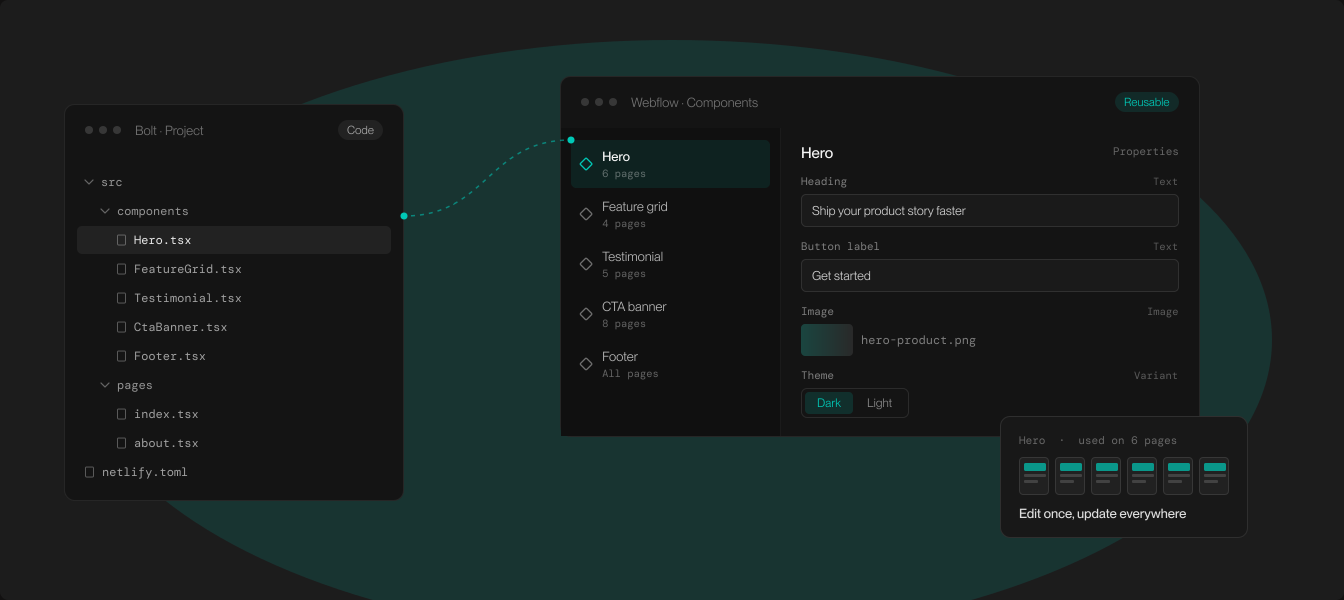
Your design, components and content rebuilt in Webflow, ready for your team to manage.
Components, rebuilt for reuse
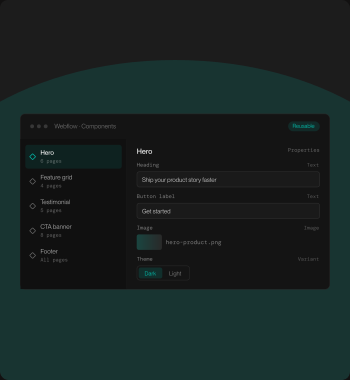
Generated React components recreated as Webflow components with editable properties, so new pages are built from the same parts.
Content into the CMS
Blog posts, case studies and other repeatable content moved out of code and into Webflow CMS collections.
Hosting and publishing in one place
Webflow hosting replaces Netlify or other deploy targets, so changes go live with one click instead of a build.
SEO and redirects
Each page gets its own title, meta description and social image, with 301 redirects from any old routes.
How it works
Review your Bolt project
I’ll go through the live site and the project code, list every page and component, and agree what moves to Webflow.
Rebuild in Webflow
I’ll recreate your components with editable properties, set up CMS collections and move your content across.
Redirect, test and launch
I’ll redirect old routes, test every page and breakpoint, and switch your domain over on launch day.
Is this the right fit?
This is for teams who built their site with Bolt and now want a marketing site they can edit, extend and rank without going back to the code.
- Keep the design and components you built.
- Build new pages from reusable components.
- Publish content through a proper CMS.
- Go live without builds or deploys.
- Get pages search engines and AI tools can read.
If your Bolt project includes an app, database or logged-in area, that part can stay on its current stack while the marketing site moves to Webflow.
FAQs
Can you move a Bolt.new site to Webflow?
Yes, by rebuilding it in Webflow rather than importing the code. Bolt generates JavaScript projects, usually React, that Webflow can’t import directly, so I recreate the design as Webflow pages, components and CMS collections. Visitors see the same site, and your team gets one they can edit visually.
Why rebuild a Bolt site in Webflow?
Bolt is great for building quickly, but a marketing site needs constant small changes. Webflow gives your team on-page editing, reusable components, a CMS and hosting in one place, so new pages and content updates don’t need prompts, code changes or a deploy.
Can you turn Bolt components into Webflow components?
Yes. Each repeated section, such as heroes, feature grids, testimonials and calls to action, becomes a Webflow component with editable properties like heading, text, image and button label. Your team builds new pages by combining them, and a change to a component updates everywhere it’s used.
What happens to Netlify hosting after moving from Bolt to Webflow?
Webflow hosting replaces it for the marketing site, with a global CDN, SSL and backups included. On launch day I point your domain at Webflow and check everything is live, after which the old Netlify deploy can be switched off.
Will moving from Bolt to Webflow help SEO?
Usually, yes. Generated JavaScript apps often load content in the browser and reuse one title and description across pages. Webflow publishes each page as static HTML with its own SEO fields and an automatic sitemap, which makes the site easier for search engines and AI crawlers to read.
Can I keep my Bolt design in Webflow?
Yes. Layouts, colours, typography and breakpoints are recreated in Webflow to match. Custom interactions and app-like features are reviewed first, and I’ll agree how each one will work in Webflow before the build starts.
Can you rebuild a Bolt web app in Webflow?
Webflow is built for marketing websites, not full applications. If your Bolt project includes logins, dashboards or a database, that part should stay on its current stack. I rebuild the public marketing pages in Webflow and link them to the app.
How long does a Bolt to Webflow rebuild take?
It depends on the number of pages and components, how much content needs moving into the CMS and how complex the interactions are. A small marketing site is quicker than a larger one with several page types. You’ll get a timeline with your fixed-price quote.
“We launched a new specialist, boutique tax advisory business in March 2025 and Matt created our website. Matt’s service and end product was exceptional, meeting with our design and timing requirements and being highly responsive during the process. Would highly recommend.”
James PilbeamLumentis Partners


