Why build from Figma
A well-organised Figma file already describes your design system. Building it carefully in Webflow keeps that system intact, so the pages your team creates later still look like the designs.
Quick Figma to Webflow builds often look right at launch but get harder to manage: one-off classes, missing breakpoints and layouts that break as soon as someone edits the content.
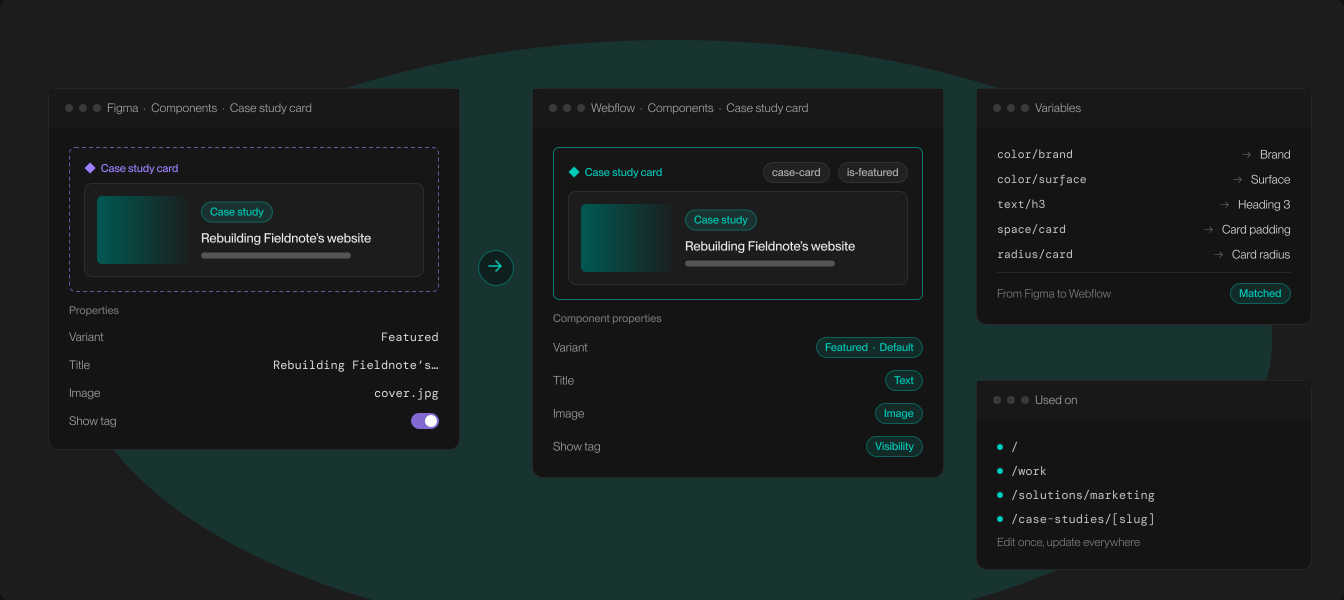
I turn your Figma variables, styles and components into Webflow variables, classes and components, then build every page template from them and test it with real content.
What comes across from Figma
Your designs, design system and content structure, built in Webflow to a high standard.
Variables to Webflow variables
Colour, type and spacing variables set up in Webflow, so a brand change flows through the whole site from one place.
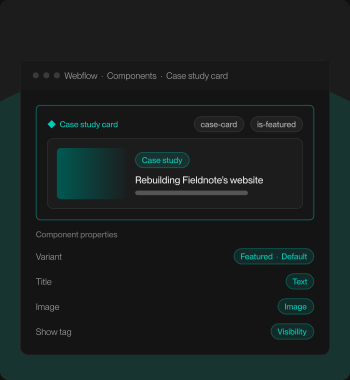
Components to components
Figma components and variants rebuilt as Webflow components with properties, ready for your team to reuse on new pages.
Every breakpoint covered
Desktop, tablet and mobile built and tested, with sensible decisions for any screen sizes the file doesn’t cover.
CMS-ready templates
Blogs, case studies and other repeatable content set up as CMS collections with templates, not hand-built pages.
How it works
Review your Figma file
I’ll go through your pages, components and variables, and flag missing states, breakpoints or content before the build starts.
Build in Webflow
I’ll set up variables and classes, build the component library and assemble every page template from it.
Test, launch and hand over
I’ll test with real content across browsers and devices, launch on your domain and show your team how to build new pages.
Built a prototype in Figma Make?
Figma Make turns prompts into working prototypes. I’ll turn yours into a production Webflow site your team can run.
Prototype to production
I take the layout, content and flows from your Figma Make prototype and rebuild them as a proper Webflow site.
Real components, not generated code
Sections become reusable Webflow components with a clean class system, rather than exported code your team can’t edit.
Content in the CMS
Placeholder content becomes CMS collections and editable fields, ready for real blog posts, case studies and pages.
Ready to be found
Metadata, schema, redirects and accessible markup added to every template, which prototypes usually leave out.
Is this the right fit?
This is for teams with finished designs in Figma, from an in-house designer or a design agency, who want them built accurately in Webflow.
- Get a build that matches your designs.
- Keep Figma and Webflow in step.
- Build new pages from tested components.
- Edit content safely in the CMS.
- Work with someone who designs as well as builds.
If your Figma file is still at the wireframe stage, a full Webflow development project covers strategy and design too.
FAQs
How do you convert a Figma design to Webflow?
I start by reviewing the Figma file’s pages, components and variables. Variables become Webflow variables, components become Webflow components with properties, and each page template is built from those parts. The site is then tested with real content at every breakpoint before launch.
Can you build my Figma design in Webflow exactly as designed?
Yes, the aim is an accurate build at every breakpoint you’ve designed. Where the file doesn’t cover a screen size or state, such as tablet layouts or hover and focus states, I’ll propose a solution that fits your design system and agree it with you first.
Does my Figma file need to be organised a certain way for Webflow?
It helps if components, variants and variables are set up, but it isn’t essential. If the file is loose, I’ll find repeating patterns during the review, turn them into components and flag anything missing before the build starts.
Can you turn a Figma Make prototype into a Webflow website?
Yes. Figma Make is great for testing ideas quickly, but what it produces is a prototype rather than a production website. I rebuild the design in Webflow with proper components, a CMS and SEO settings, so your team can edit and grow it.
Do you use a Figma to Webflow plugin or build by hand?
I build by hand, using a structured class system. Plugins that convert Figma layers straight into Webflow can be a useful starting point, but they often produce one-off classes and fixed layouts that are harder to edit. A careful build is easier to work with after launch.
Will my team be able to edit the Webflow site after it’s built?
Yes. Your team can edit text, images and CMS content in Webflow, and build new pages from the component library without breaking the design. I train your team at launch and document how the components fit together.
Is a Figma to Webflow build good for SEO?
Yes. I build semantic HTML, heading structure, metadata, alt text, sitemaps and structured data into every template, and set up redirects if you’re replacing an existing site. Clean, fast pages help search engines and AI tools understand your content.
How long does a Figma to Webflow build take?
It depends on the number of page templates and components, how complete the Figma file is and how much CMS content is needed. A small marketing site is quicker than a large one with many templates. You’ll get a timeline with your fixed-price quote.
“We launched a new specialist, boutique tax advisory business in March 2025 and Matt created our website. Matt’s service and end product was exceptional, meeting with our design and timing requirements and being highly responsive during the process. Would highly recommend.”
James PilbeamLumentis Partners


