Why a design system
Without a system, every new page is a fresh set of decisions. A design system turns those decisions into shared variables, components and written rules that people and AI tools can follow, so new pages stay consistent.
Many Figma files grow page by page: detached components, near-duplicate colours and styles nobody remembers creating. AI tools pointed at files like that copy the mess, producing pages that look close but don’t match the build.
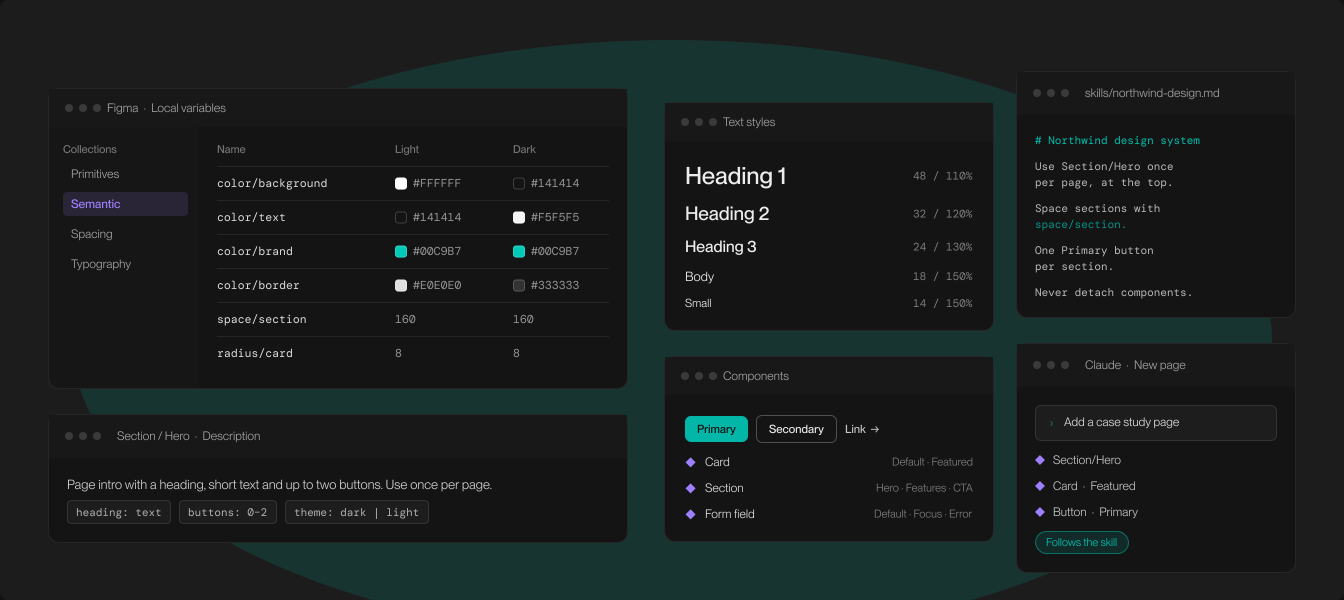
I set up variables, styles and components with the same naming as the build, add clear descriptions to each one and write skills that teach AI tools how to use the system properly.
Variables and modes
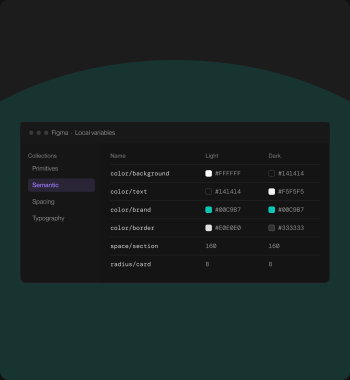
Colour, type, spacing and radius variables, with light, dark or brand modes where you need them.
Components and variants
Buttons, cards, navigation, forms and page sections built with variants, properties and auto layout.
AI-friendly structure
Consistent naming, component descriptions and scoped variables, so AI tools such as Claude and Figma’s MCP server read the system accurately.
Skills and documentation
Usage guidelines and reusable AI skills that set out how to build new pages with your system, for people and AI tools alike.
How it works
Audit what you have
I’ll review your current Figma files and website, and list the colours, type and patterns already in use.
Build the system
I’ll set up variables, styles and components, merging duplicates and adding descriptions as I go.
Write skills and hand over
I’ll document the system, write AI skills for future pages and walk your team through using both.
Is this the right fit?
This is for teams whose Figma files and website have drifted apart, or who want to use AI tools to design and build new pages without losing consistency.
- Design new pages faster.
- Keep Figma and the website in step.
- Get consistent results from AI tools.
- Reuse skills for every future page.
- Hand developers organised, buildable files.
If you only need a few pages designed and built, a full design system may be more than you need, and I’ll say so.
FAQs
What is a Figma design system?
A Figma design system is a library of variables, text styles and components your team uses to design pages. Built properly, it mirrors how the website is coded, so a button or card in Figma behaves the same way as it does on the live site.
What makes a design system AI-friendly?
An AI-friendly design system is structured so AI tools can read and use it accurately. That means consistent naming, descriptions on every component, variables with clear scopes and written usage rules. AI tools then build pages from your real components instead of guessing.
What are AI skills for a design system?
Skills are reusable instruction files that teach an AI tool how to work with your system: which components to use, how to name things, spacing and layout rules, and what to avoid. Your team can use them every time they design or build a new page, so results stay consistent.
Can AI tools design new pages with our design system?
Yes, with the right setup. When the Figma system is well structured and paired with skills, AI tools can assemble new pages from your existing components and variables. A designer still reviews the result, but the first draft follows your rules rather than generic patterns.
Can you make our Figma design system match our Webflow site?
Yes. I name and structure variables and components to match your Webflow variables, classes and components, so designers, developers and AI tools use the same names. That makes handover quicker and keeps design and build in step.
Can a Figma design system follow a Webflow framework like Lumos?
Yes. I can structure the Figma system around a Webflow framework such as Lumos or Client-First, matching its variable names, utility classes and component patterns, so the build follows the same conventions as the design.
Who looks after the design system after handover?
Your team owns it, including the skills. I document how variables, styles and components should be used and how to add new ones, and keep the skills in line with them. If you’d like ongoing help keeping the system and website in step, that can be part of a Webflow retainer.
How long does it take to build a design system?
It depends on how many components are needed, how much already exists, whether multiple modes or brands are involved and how many skills you want. Tidying an existing file is quicker than building a full system from scratch. You’ll get a timeline with your fixed-price quote.
“We launched a new specialist, boutique tax advisory business in March 2025 and Matt created our website. Matt’s service and end product was exceptional, meeting with our design and timing requirements and being highly responsive during the process. Would highly recommend.”
James PilbeamLumentis Partners


